
Everywhere else on this site we say a takeoff finishes in under twenty minutes. That is true, and on its own slightly misleading, because twenty minutes is how long the software takes. It was never how long an estimator's day took.
So I am not the right person to write this one. Aaquib Khan is our estimator in residence, and he ran takeoffs and quotes on a distributor bid desk before he joined us. I asked him to walk through how he actually runs a set, start to finish. Everything that follows is his, in his own words.
Starting a project
It begins with me opening Monaro and creating a new project: project name, client details, bid due date, and the drawing set itself.
Once that is uploaded, Monaro takes over. It reads through the entire set and runs the takeoff, which typically takes fifteen to twenty minutes depending on how big the set is. I do not sit and watch it. An email tells me the takeoff is ready for review, and I open it then.
That gap matters more than it sounds. The old sequence was serial: nothing else on my desk moved until I finished counting, because the count was the input to everything downstream. Now it happens while I am doing something else.
Getting oriented before I touch anything
I usually know nothing about the building when I start. So before I check a single tag, I go to the sheet index.
It lists every sheet in the set against its actual title and drawing sheet number, so I can tell at a glance which pages are HVAC and which are plumbing, electrical or architectural, without opening each one to work out what it is.
The index also tells me how the plan is put together: how many floors there are, whether there are typical unit plans or enlarged plans, and whether several levels, say Level 2 through Level 5, are represented on one sheet. That gives me the shape of the job before I review anything in detail.
Then I go to the schedule and scope pages, which sit at the top of the set highlighted in green, and read the mechanical schedule. This is a glance, not a study. I want to know what equipment types are in play and which tags I should expect to see repeating through the plan. It sets the mental map for everything after it.
Any estimator will recognise this as the part you do instinctively with a paper set, flicking through before you mark anything up. The difference is that the index and the highlighting have already told me which pages are worth flicking through.
Reviewing the detections, sheet by sheet
The HVAC pages are highlighted in orange, so I know which ones are mine before I open anything. Monaro also shows a quantity count of detected tags on each sheet, so I can see immediately which sheets actually have work on them.
I open those and scan each page left to right.
Left to right matters. It is the same discipline as a manual takeoff: a consistent sweep means you are not relying on your eye to catch things at random, which is exactly how items get missed at four in the afternoon. The difference is that I am reviewing a page that is already mostly marked rather than starting from a blank one.
If a tag is detected correctly, I move on. If something is wrong, I fix it there on the plan. If something is missing, I add it in the moment. None of that is a restart, which is the thing that used to make corrections expensive.
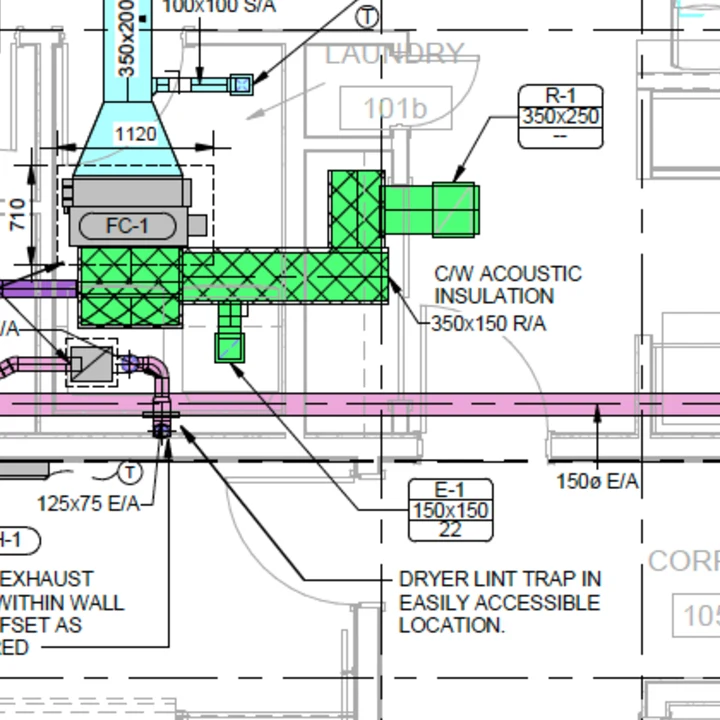
Grilles, registers and diffusers get a little more attention, because they are numerous, they repeat, and the size is carried in the tag rather than the symbol. For those I hover over a tag and check two things: that the quantity is right and that the size is right. That is the whole check, and it is quick enough to do on every tag on the page, which is not something I could honestly say about counting them by hand.
Where a tag has its quantity called out directly on the plan, say an SF-1 at eight inch diameter noted at quantity four, Monaro reads that note on its own and applies it. My job there is confirming the read is right, not counting it myself.
I work through the levels this way, floor by floor up through the roof, reviewing every tag on every sheet. Along the way I delete anything out of scope: cross trade tags, usually plumbing or electrical items, that appear on an HVAC sheet but do not belong in an HVAC takeoff.
The equipment that is not on the HVAC sheets
Some equipment never appears on the HVAC sheets at all. Pumps, domestic hot water heaters, tanks and plenty more often sit on the plumbing sheets or the foundation layout instead.
This is one of the quieter ways a manual takeoff goes wrong, because it is not a counting error. You did not miscount it. You looked in the wrong place for it, and you tend to find that out when someone asks why the quote is missing a pump.
For those I use the text search. I search the tag name and it routes me straight to where that equipment actually appears in the set, so I can tag it on the spot rather than hunting page by page.
Cleaning up before I trust the count
Once every orange page has been reviewed, I clean up before I look at a total.
Drawing sets carry tags and schedules you do not need. Equipment outside your scope, duplicate schedules, tables the engineer left in from an earlier revision. I go through what has been picked up and either remove what does not belong or merge entries that are the same item described two ways.
An estimator will recognise this as the part that used to happen implicitly, in your head, while you counted. Doing it as an explicit step is better, because it is visible and someone else can check it.
The second pass, and signing it off
After the sheet by sheet pass I go to the tag list and review quantities from there as well.
It is a different view of the same data, which is exactly why it is worth doing. Reviewing by page and reviewing by tag catch different mistakes. The second pass picks up anything the first one missed and confirms the detections are right. Once the detection work itself is done, checking it both ways takes a few minutes.
When I am confident every tag and quantity is right, I mark the drawing QA approved. That is a formal sign off saying the takeoff has been reviewed and the quantities are verified, and it is the point where the job stops being mine.
Where it goes next
This is where it pays off beyond the takeoff itself.
A sales rep opens the same job on the same platform, goes to the quote section, and finds every tag, spec and model number already carried through from the verified takeoff. Nothing to retype, no second tool, no reconciling two versions of the same numbers.
The rep starts by adding the alternate brands they want to quote, strips out anything that is not being quoted, and brings in pricing from the vendors. Then the commercial side: unit cost, margin, sell price.
The last decision is what the customer actually sees. The quote goes out on your own letterhead, with firm naming, notes and line item descriptions, and you choose how much pricing detail to show: per line item, a single price for the whole package, or per schedule. That choice is commercial rather than technical. Some customers want the line by line breakdown, some should not see it, and some want it grouped the way the engineer scheduled it. Being able to pick without rebuilding the quote means one takeoff can serve several customers who each expect something different.
If a rep wants to check something before it goes out, and the question is usually a blunt one like do we really have five FCU-1 units, they can open that tag in the takeoff and step through each of the five instances on the plan itself. Nothing has to be taken on faith, and nobody has to switch tools to confirm it.
Why that last part matters
Everything traces back to a physical location on the drawing.
That is the part I would have wanted most on a bid desk. Estimating, takeoff and sales all working off the same verified data, with the drawing underneath it, so the quote goes out without anyone checking the numbers again from scratch, and without the awkward conversation that starts with "are we sure about this?"
The counting is minutes now. What is left is scope, judgement on the things that need it, and the commercial decisions in the quote. Those are the parts of the job I would not want automated anyway.
